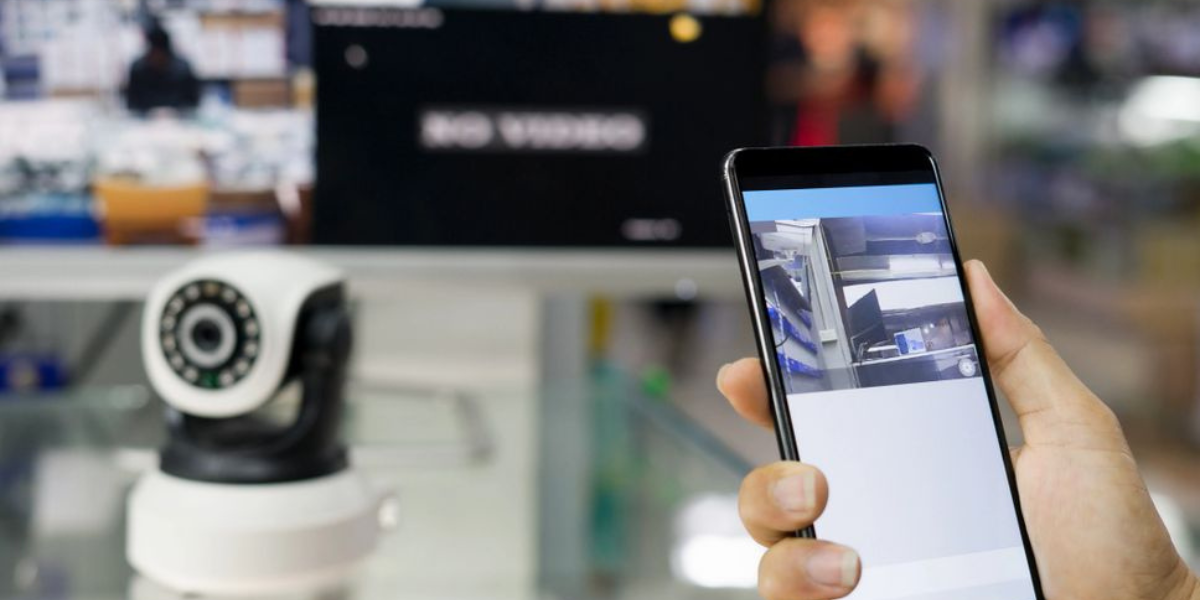
In today’s fast-paced world, security is a top priority for both homes and businesses. CCTV cameras play a vital role in protecting your property, but checking footage regularly can be time-consuming. The good news is that with modern technology, you can monitor CCTV from your mobile anytime and anywhere. In this guide, we will explain everything you need to know to set up, connect, and monitor your CCTV system using your smartphone.
Why Mobile CCTV Monitoring is Important
Mobile CCTV monitoring allows you to:
- Stay connected to your property 24/7.
- React quickly to any suspicious activity.
- Reduce dependency on manual checks or security personnel.
- Record and review footage in real time.
- Manage multiple cameras from a single device.
Whether it’s your home, office, or business property in Karachi, monitoring CCTV via mobile ensures peace of mind and faster security response.
Types of CCTV Systems for Mobile Monitoring
Before setting up mobile monitoring, it’s essential to know the type of CCTV system you have. The main types include:
- Wired CCTV Systems : Traditional cameras connected via cables. They usually provide high-resolution footage but require professional installation.
- Wireless CCTV Systems : These cameras connect over Wi-Fi and are easier to install. They are perfect for Wireless CCTV installation in Karachi.
- IP Cameras : Internet Protocol cameras transmit footage over the internet, making mobile monitoring easy and effective.
Choosing the right system is critical for smooth mobile monitoring.
Step-by-Step Guide to Monitor CCTV from Mobile
Step 1: Choose the Right CCTV System
If you haven’t installed a CCTV system yet, select one compatible with mobile apps. Wireless CCTV systems are recommended for homes and small offices because they offer flexibility and simple installation.
Step 2: Install the CCTV Cameras
For Wireless CCTV installation in Karachi, hire a professional installer to ensure cameras are correctly positioned. Key areas include:
- Main entrances
- Driveways and parking areas
- Backyards or side gates
- Office entrances and cash handling areas
Proper installation guarantees full coverage and better security monitoring.
Step 3: Set Up the DVR or NVR
Your CCTV system will likely come with a DVR (Digital Video Recorder) or NVR (Network Video Recorder). Connect your cameras to the recorder and ensure it is connected to the internet. This is essential for remote mobile access.
Step 4: Download the CCTV App
Most CCTV brands have their own mobile apps. Some popular apps include:
- Hik-Connect
- iVMS-4500
- XMEye
- Reolink App
Download the app from Google Play Store or Apple App Store, depending on your smartphone.
Step 5: Connect Cameras to Mobile App
Follow these steps:
- Open the app and register an account.
- Add your camera using the device ID or QR code.
- Enter the camera password.
- Confirm the connection.
Once connected, you can view live footage, record clips, and even receive alerts on your phone.
Step 6: Configure Notifications
Set up push notifications or email alerts for events like:
- Motion detection
- Camera disconnection
- Tampering alerts
This ensures that you are immediately aware of any unusual activity, even if you are away from your property.
Step 7: Test Your Mobile Monitoring
After setup, test all cameras and app features:
- Check live streaming quality
- Test playback of recorded videos
- Ensure alerts are received in real-time
Regular testing helps maintain the efficiency of your mobile CCTV monitoring system.
Benefits of Monitoring CCTV from Mobile
- Convenience : Check your property anytime, anywhere.
- Cost-Effective : Reduces the need for on-site security guards.
- Quick Response : Immediate alerts help prevent theft or damage.
- Multiple Camera Management : One app can control all cameras in your property.
- Easy Sharing : Share footage with authorities or family when needed.
Tips for Effective Mobile CCTV Monitoring
- Always use a strong Wi-Fi connection for smooth streaming.
- Keep the CCTV app updated to avoid glitches.
- Use secure passwords to prevent unauthorized access.
- Position cameras at optimal angles for maximum coverage.
- Regularly clean camera lenses for clear footage.
Choosing the Right Installer in Karachi
Professional installation is crucial for mobile monitoring. Look for companies that offer Wireless CCTV installation in Karachi with mobile app setup. A reliable installer ensures:
- Correct camera placement
- Proper connectivity to DVR/NVR
- Mobile app configuration for seamless monitoring
- Technical support in case of issues
Hiring an expert saves time and guarantees your system works efficiently.
FAQs About Mobile CCTV Monitoring
- Can I monitor CCTV cameras on multiple phones?
Yes, most apps allow multiple devices to access the same CCTV system simultaneously. You can add family members or security staff to monitor live feeds. - Do I need internet to monitor CCTV from mobile?
Yes, a stable internet connection is required for live streaming and receiving alerts. Local recordings on DVR/NVR can be accessed offline. - Are wireless CCTV cameras reliable for mobile monitoring?
Absolutely. Wireless cameras are designed for easy mobile access, but ensure you have a strong Wi-Fi signal for uninterrupted streaming. - How secure is mobile CCTV monitoring?
Most apps use encryption and passwords to secure data. Always use strong passwords and enable two-factor authentication if available. - Can I record footage from my mobile?
Yes, mobile apps allow live recording, screenshots, and cloud storage options for future review