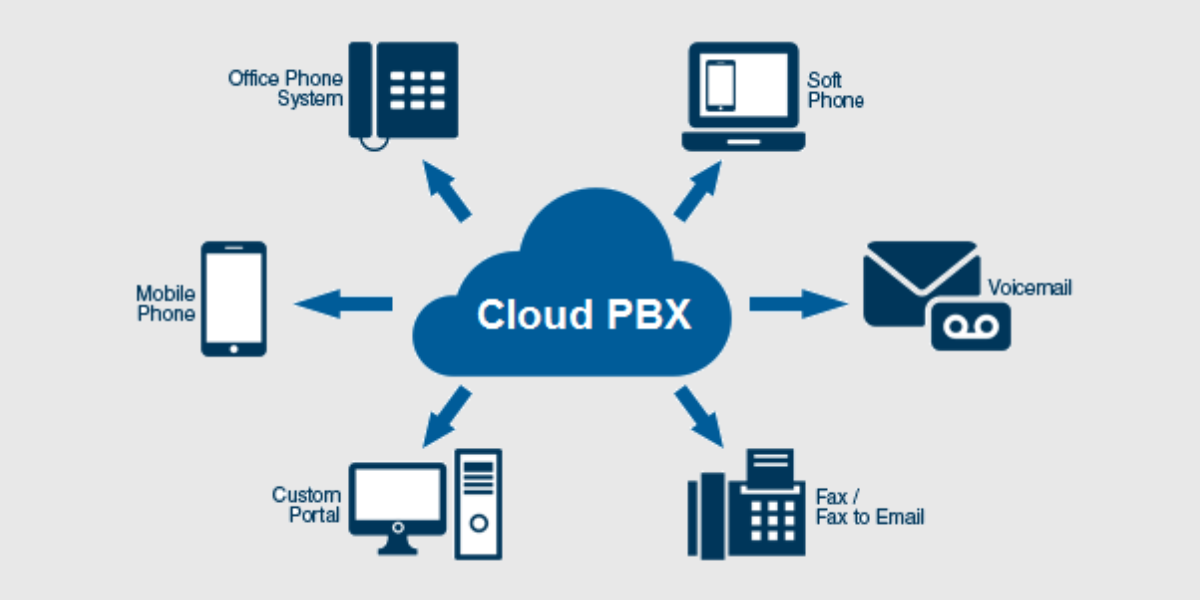
A PBX (Private Branch Exchange) system is the backbone of business communication. When PBX lines stop working properly, it can cause missed calls, poor call quality, and serious business disruption. Knowing how to troubleshoot PBX line issues can help you identify problems early and reduce downtime.
This guide explains common PBX line problems, their causes, and practical troubleshooting steps in simple language. Whether you are using an analog, IP, or hybrid PBX, these tips will help you restore smooth communication.
Understanding Common PBX Line Issues
Before troubleshooting, it is important to understand the most common PBX line problems businesses face:
- No dial tone on extensions
- Incoming calls not connecting
- Outgoing calls failing
- Call drops or poor voice quality
- One-way audio issues
- Extensions not ringing
These issues can happen due to wiring faults, configuration errors, network problems, or hardware failures.
Step 1: Check Physical Connections First
The first and most important step in PBX troubleshooting is checking physical connections.
What to inspect:
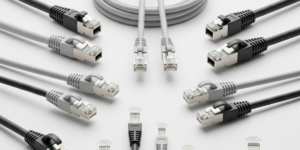
- Telephone cables connected to PBX ports
- Power supply to the PBX system
- Loose or damaged RJ-11 or Ethernet cables
- PSTN lines connected to the PBX
A loose cable can easily cause line failure. If your business recently installed a system through PABS System Installation in Karachi, ensure cables have not been disturbed after installation.
Tip: Restart the PBX system after reconnecting cables to refresh the line status.
Step 2: Verify Power and System Status
PBX systems require stable power to function properly.
Check the following:
- Power LEDs on PBX hardware
- UPS or backup power system
- Any recent power outage or voltage fluctuation
If the PBX restarts frequently, it may indicate power instability. Always use a UPS to protect your PBX from sudden shutdowns.
Step 3: Test Extensions and Handsets
Sometimes the issue is not with the PBX line but with the handset.
How to test:
- Swap a non-working phone with a working extension
- Check handset cords and keypads
- Test using a spare phone
If the problem moves with the phone, the handset is faulty. If the issue stays on the same extension, the PBX port may be the problem.
Step 4: Check PBX Line Configuration Settings
Misconfigured settings are a common reason for PBX line issues.
Review these settings:
- Extension numbers assigned correctly
- Incoming and outgoing call routes
- DID (Direct Inward Dialing) mapping
- Time-based routing rules
Even a small configuration error can block calls. During PABX System Setup in Karachi, proper configuration is critical to avoid long-term issues.
Step 5: Inspect Network for IP PBX Systems
For IP-based PBX systems, network problems can directly affect call quality and connectivity.
Network checks include:
- Internet speed and stability
- Router and switch configuration
- SIP port forwarding
- Firewall blocking VoIP traffic
High latency or packet loss can cause call drops and voice delay. Ensure your IT network is optimized for VoIP traffic.
Step 6: Check PSTN or SIP Provider Status
If internal extensions work but external calls fail, the issue may be with your service provider.
What to confirm:
- PSTN line availability
- SIP trunk registration status
- Provider outage notifications
Contact your telecom or VoIP provider to verify whether the issue is from their side.
Step 7: Review PBX Error Logs and Alerts
Modern PBX systems store error logs that provide valuable clues.
Look for:
- SIP registration failures
- Line busy or unreachable errors
- Authentication errors
- Hardware fault alerts
These logs help technicians quickly identify the root cause. Businesses using professional PABS System Installation in Karachi services often get remote monitoring support for faster issue resolution.
Step 8: Update PBX Firmware and Software
Outdated firmware can cause compatibility and performance problems.
Best practices:
- Check manufacturer updates regularly
- Apply security patches
- Backup system configuration before updating
Updated firmware improves system stability, security, and call quality.
Step 9: Perform a Controlled Restart
A simple restart can solve many temporary PBX line issues.
Proper restart method:
- Power off PBX system
- Wait 2–3 minutes
- Restart routers and switches
- Power on PBX
This refreshes line registration and clears minor system glitches.
Step 10: Call a Professional PBX Technician
If issues continue after basic troubleshooting, professional help is required.
Why expert support matters:
- Advanced diagnostics
- Proper line testing tools
- Configuration optimization
- Long-term reliability
Expert technicians handling PABX System Setup in Karachi ensure compliance with telecom standards and reduce recurring issues.
Preventive Tips to Avoid PBX Line Issues
- Schedule regular PBX maintenance
- Keep wiring labeled and organized
- Use quality cables and power backup
- Monitor system logs weekly
- Train staff on basic troubleshooting
Preventive care saves time, money, and business reputation.
FAQs – PBX Line Troubleshooting
1. Why is there no dial tone on my PBX extension?
This usually happens due to a loose cable, faulty handset, or disabled extension in PBX settings.
2. Why are incoming calls not reaching my PBX system?
Incorrect call routing, DID mapping issues, or service provider problems are common causes.
3. How can I fix poor call quality on an IP PBX?
Check internet speed, network congestion, QoS settings, and router configuration.
4. Should I restart my PBX system when lines stop working?
Yes, a controlled restart often resolves temporary software or registration issues.
5. When should I contact a PBX professional?
If problems persist after basic troubleshooting or occur frequently, professional support is recommended.